← Back to work
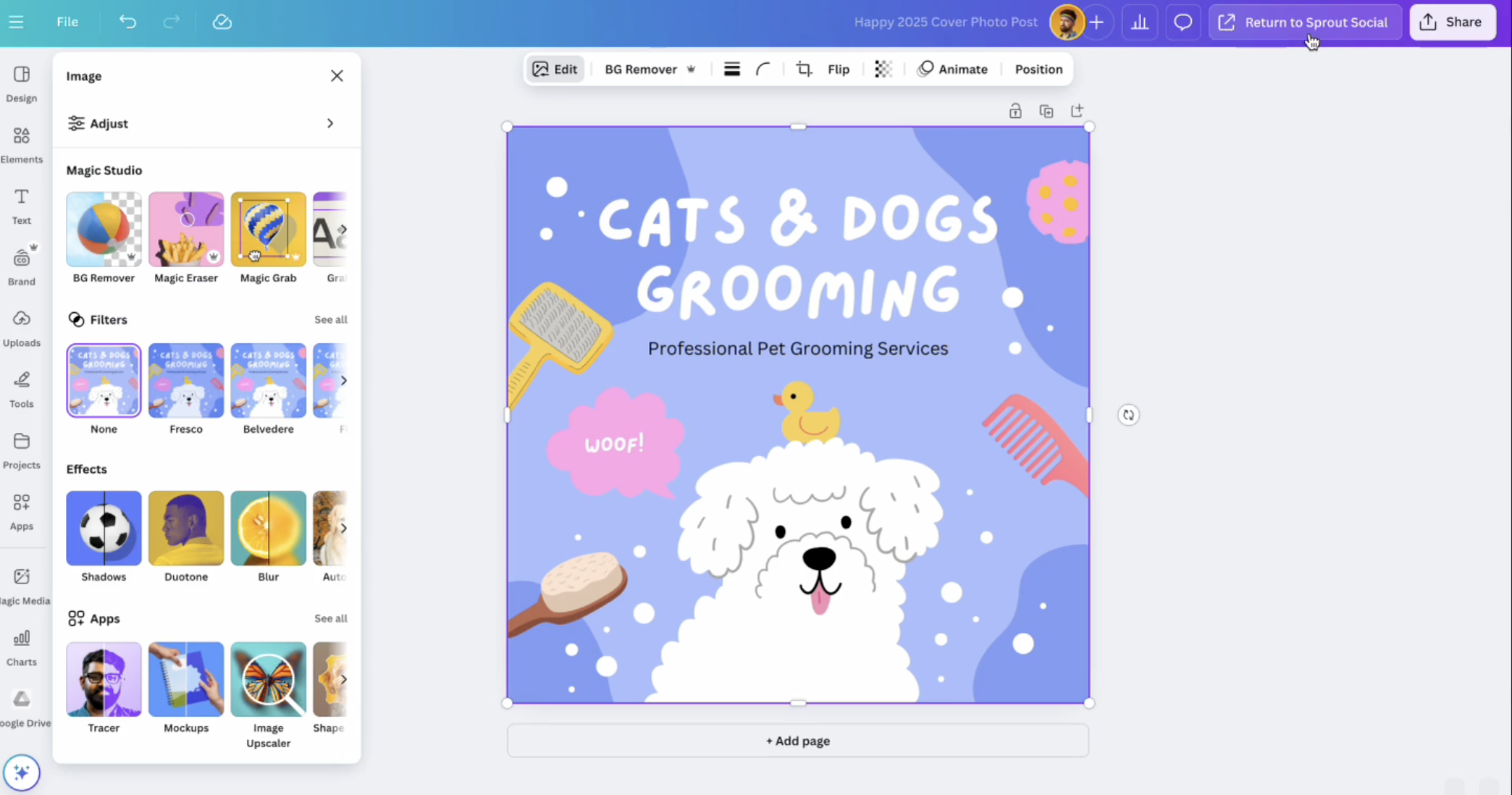
Editing a design in Canva with a Return to Sprout Social button

Canva × Sprout Social Integration

Where Canva meets your social publishing workflow. As a Product Design Intern, I was tasked with streamlining the fragmented workflow between Canva and Sprout Social — and through research, pivoted the project from publishing toward a high-value analytics integration.

Year
2023
Role
Product Design Intern
Timeline
12 weeks
Disciplines
Product Design · Integrations · End-to-end Flow

Problem space01 · Discovery

Canva stands as the dominant tool for visual content, making its users a natural demographic for social management platforms like Sprout Social. Yet a significant friction point existed: roughly half of the social content built in Canva was manually downloaded to be published on external tools. The objective of a Canva and Sprout Social integration was to bridge this workflow gap, creating a native pathway that would optimise the publishing flow and preserve data continuity across both ecosystems.

~48%
of social content made in Canva is paid
tools required for a single publish today
1
unified flow we aimed to ship

Following initial research and ideation, I built two low-fidelity, end-to-end conceptual flows in Figma. By keeping the fidelity intentionally low, I rapidly mapped out the integration's structure and ensured interviewees focused on the core workflow logic — letting the team gather raw, unbiased feedback on the concept's actual utility.
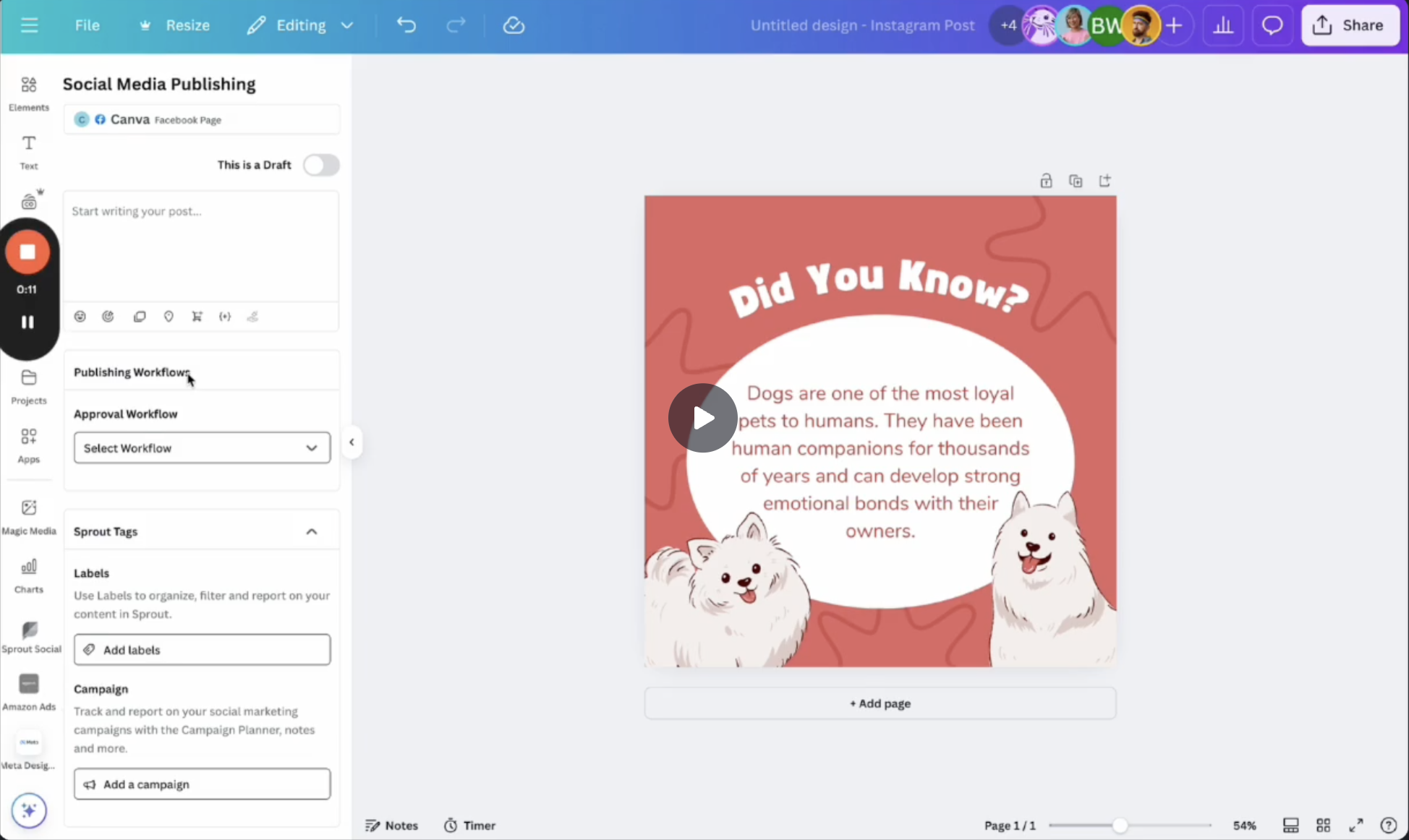
Sprout Social publishing panel inside Canva
Edit designs in Sprout Social using Canva

Use Canva as the design tool in Sprout Social, then return with one click — your updated design ready to post.
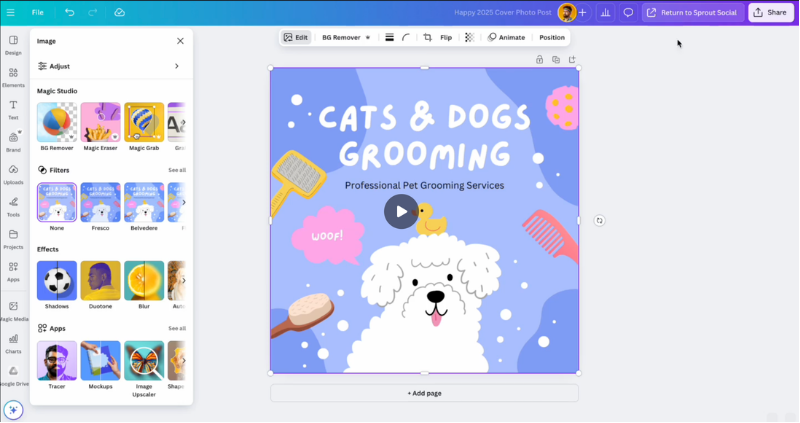
Editing a design in Canva with a Return to Sprout Social button
Import Canva designs into Sprout Social

Connect a Canva account and immediately access all designs within the platform, ready to be published.

I conducted four moderated usability testing sessions with internal B2C marketers ("Canvanauts") who actively use Sprout Social in their daily workflows. The goal was twofold: to gather direct feedback on my two proposed design flows, and to evaluate workflow fit — specifically testing whether this integration actually solved their day-to-day friction or missed the mark on their real needs.

Testing invalidated the publishing hypothesis entirely. Marketers didn't want another place to publish — they wanted their Canva design performance surfaced where they already analysed campaigns.

Armed with this insight, I reframed the opportunity. Rather than forcing a publishing flow that didn't fit, I pivoted the scope toward a reporting and analytics integration — a far higher-value, unmet need that aligned with how marketers actually measure success. I synthesised the research into three distinct product concepts for the team to evaluate.

01 · Performance overlay

Surface engagement metrics directly on each Canva design inside Sprout Social's reporting view.

02 · Cross-account view

See how a single Canva asset performed across every social channel it was published to.

03 · Insight-to-iterate loop

Let marketers jump from a low-performing post straight back into Canva to revise and re-test.

The reframed strategy crystallised into three product concepts — each targeting a different point in the design-to-insight loop.

Problem space01 · Discovery

Canva stands as the dominant tool for visual content, making its users a natural demographic for social management platforms like Sprout Social. Yet a significant friction point existed: roughly half of the social content built in Canva was manually downloaded to be published on external tools. The objective of a Canva and Sprout Social integration was to bridge this workflow gap, creating a native pathway that would optimise the publishing flow and preserve data continuity across both ecosystems.

~48%
of social content made in Canva is paid
tools required for a single publish today
1
unified flow we aimed to ship
Rapid prototyping — visualising conceptual flows02 · Concepts

Following initial research and ideation, I built two low-fidelity, end-to-end conceptual flows in Figma. By keeping the fidelity intentionally low, I rapidly mapped out the integration's structure and ensured interviewees focused on the core workflow logic — letting the team gather raw, unbiased feedback on the concept's actual utility.

Sprout Social publishing panel inside Canva
Edit designs in Sprout Social using Canva

Use Canva as the design tool in Sprout Social, then return with one click — your updated design ready to post.

Editing a design in Canva with a Return to Sprout Social button
Import Canva designs into Sprout Social

Connect a Canva account and immediately access all designs within the platform, ready to be published.

Testing the hypotheses with real users03 · Approach

I conducted four moderated usability testing sessions with internal B2C marketers ("Canvanauts") who actively use Sprout Social in their daily workflows. The goal was twofold: to gather direct feedback on my two proposed design flows, and to evaluate workflow fit — specifically testing whether this integration actually solved their day-to-day friction or missed the mark on their real needs.

Testing invalidated the publishing hypothesis entirely. Marketers didn't want another place to publish — they wanted their Canva design performance surfaced where they already analysed campaigns.

Reframing the opportunity04 · Learnings

Armed with this insight, I reframed the opportunity. Rather than forcing a publishing flow that didn't fit, I pivoted the scope toward a reporting and analytics integration — a far higher-value, unmet need that aligned with how marketers actually measure success. I synthesised the research into three distinct product concepts for the team to evaluate.

01 · Performance overlay

Surface engagement metrics directly on each Canva design inside Sprout Social's reporting view.

02 · Cross-account view

See how a single Canva asset performed across every social channel it was published to.

03 · Insight-to-iterate loop

Let marketers jump from a low-performing post straight back into Canva to revise and re-test.

Reframed strategy: 3 product concepts05 · 05. Outcome

The reframed strategy crystallised into three product concepts — each targeting a different point in the design-to-insight loop.